10. Styling your marker
L4 A09 Styling Your Marker
Reference Documentation
Style your marker
You can personalize your map further by styling the map markers. In this step, you can change the default red markers into something more groovy.
- In the
onMapLongClick()method, add the following line of code to theMarkerOptions()of the constructor to use the default marker but change the color to blue:
.icon(BitmapDescriptorFactory.defaultMarker(BitmapDescriptorFactory.HUE_BLUE))onMapLongClickListener() will look like this:
map.setOnMapLongClickListener { latLng ->
   // A Snippet is Additional text that's displayed below the title.
   val snippet = String.format(
       Locale.getDefault(),
       "Lat: %1$.5f, Long: %2$.5f",
       latLng.latitude,
       latLng.longitude
   )
   map.addMarker(
       MarkerOptions()
           .position(latLng)
           .title(getString(R.string.dropped_pin))
           .snippet(snippet)
         .icon(BitmapDescriptorFactory.defaultMarker(BitmapDescriptorFactory.HUE_BLUE))
   )
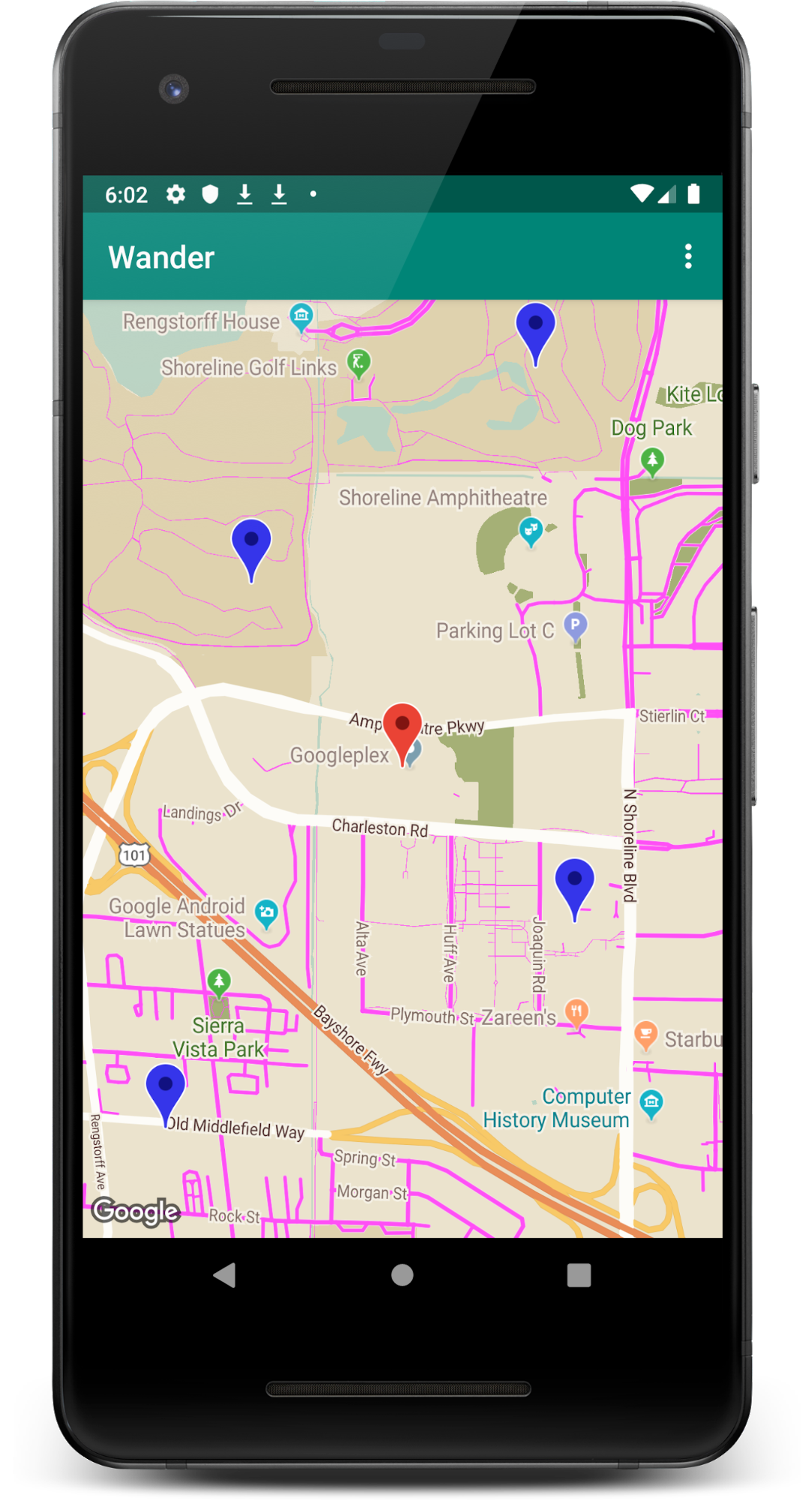
}- Run the app. The markers that appear after you long click are now shaded blue.
Note that POI markers are still red, because you didn't add styling to theonPoiClick()method.